
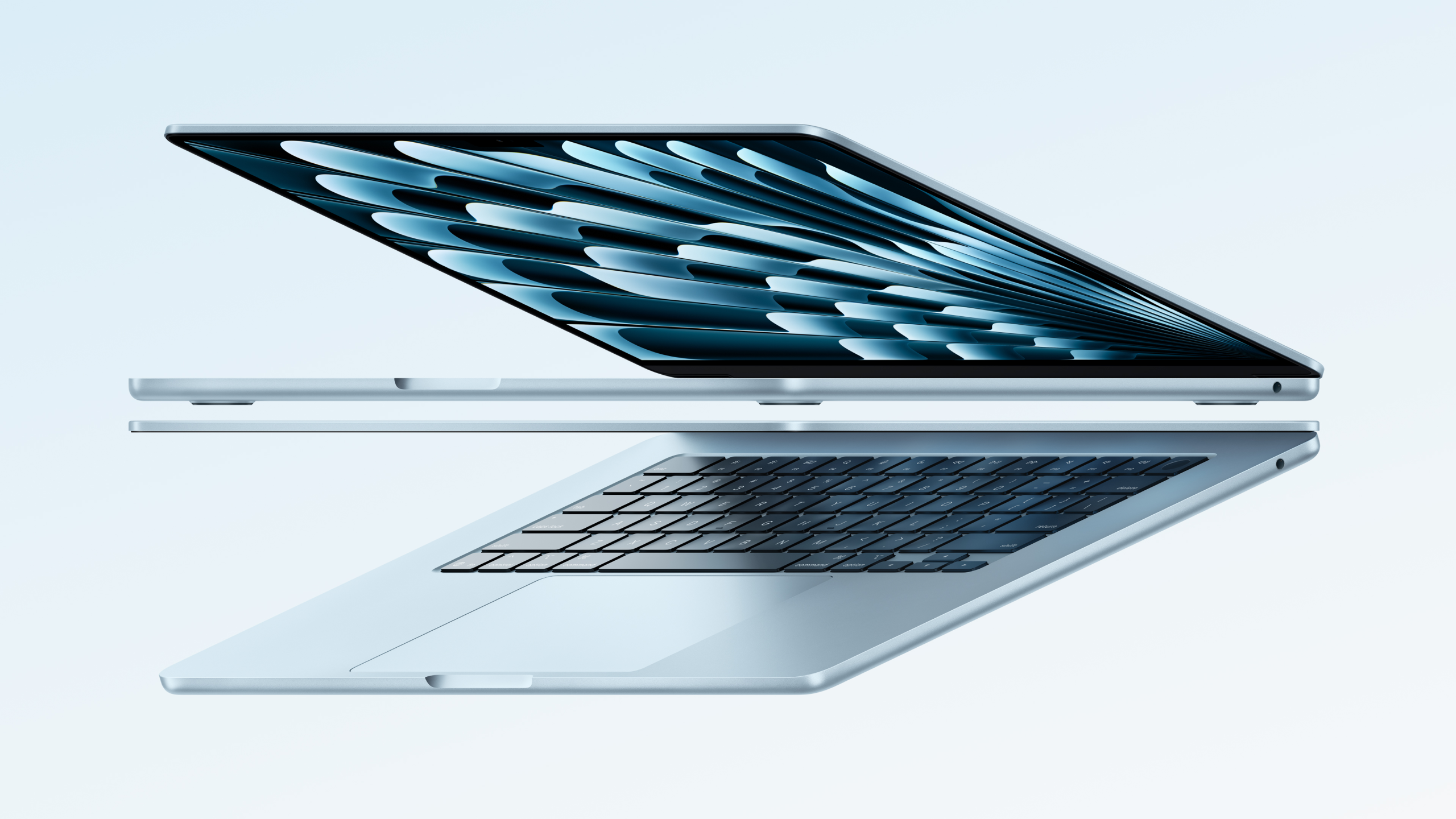
Buying your first MacBook in 2025 can feel confusing. Apple offers multiple models, powerful new chips, and price points that vary widely. If you are switching from Windows or buying a laptop for the first time, the options may seem overwhelming.
The good news is that choosing the right Apple MacBook is easier than it looks once you understand your needs. This guide breaks everything down in simple terms so you can confidently pick the best MacBook for your budget and usage.
Understand the MacBook Lineup in 2025
Apple currently offers three main MacBook models, each designed for a distinct user.
MacBook Air
MacBook Air remains the go-to choice for first-time MacBook buyers, and it is easy to see why. The slim and lightweight design makes it perfect for students and professionals who are always on the move. Since it runs without a cooling fan, it stays completely silent during daily use. Battery life is another strong point, easily lasting a full workday. In 2025, MacBook Air models powered by Apple’s M3 and M4 chips offer smooth, reliable performance for browsing, office work, media consumption, and light creative tasks without feeling overwhelming.
Best for:
- Students
- Office work
- Browsing, streaming, and light editing
- Portability-focused users
MacBook Pro 14-inch
The 14-inch MacBook Pro is a clear upgrade for users who need more power and flexibility. Its brighter Liquid Retina XDR display makes photo, video, and color-heavy work look stunning. You also get richer, louder speakers that are great for editing or entertainment without needing external audio. With extra ports like HDMI and an SD card slot, connectivity is far more convenient. Powered by Apple’s latest M-series chips, it handles coding, video editing, and heavy multitasking smoothly while still delivering solid battery life.
Best for:
- Content creators
- Developers
- Designers and video editors
- Power users who want portability
MacBook Pro 16-inch
This is Apple’s most powerful laptop, built for professionals who push their machines hard every day. It delivers exceptional performance with the M3 Pro and M3 Max chips, making complex video editing, 3D rendering, and large development projects feel smooth and responsive. The larger display provides more workspace for detailed timelines and multitasking, while the improved thermal design keeps performance stable under heavy loads. Despite its raw power, it still offers impressive battery life, making it reliable for long work sessions without constantly reaching for the charger.
Best for:
- Professional video editing
- 3D modeling
- Heavy multitasking
- Users replacing a desktop setup
Choose the Right Apple Silicon Chip
Apple’s silicon chips are the heart of MacBook performance. Here is how to choose the right one.
Apple’s Mac lineup now spans M3, M4, and the latest M5 chips, making it easier to pick based on how you actually work. The base chips like M3, M4, and M5 are ideal for everyday tasks such as web browsing, Microsoft Office, light coding, and casual photo editing, and they stay fast and power-efficient. Pro chips including M3 Pro, M4 Pro, and M5 Pro are built for heavier multitasking, advanced development work, and creative apps like Final Cut Pro or Adobe Premiere. Max chips such as M3 Max, M4 Max, and M5 Max are made for power users handling 8K video editing, large software builds, or complex simulations. For first-time buyers, a base chip is usually more than enough unless your workflow truly demands Pro-level or Max-level performance.
How Much RAM Do You Need in 2025?
RAM plays a big role in how smoothly your MacBook handles daily work, especially when you run multiple apps at the same time. In 2025, 8GB RAM will be practical only for very light users who stick to basic tasks like browsing and document editing. For most buyers, 16GB RAM is the ideal choice, offering a smooth experience for multitasking, creative work, and long-term use. If you are a professional working with video editing, 3D design, or heavy development projects, 32GB RAM or more delivers the best performance and future-proofing.
For longevity and smooth performance, 16GB RAM is highly recommended for first-time MacBook buyers.
Choosing the Right Storage Size
Storage tends to fill up much faster than most people expect, especially once apps, updates, photos, and videos start piling up. For most users, 256GB feels too limiting and often leads to constant space management. A 512GB SSD is the ideal choice, offering enough room for documents, everyday apps, and media without worry. If you work with large files or keep big photo and video libraries, 1TB or more is the safest option. If your budget allows, 512GB clearly hits the best balance between price, comfort, and long-term usability.
Consider Screen Size and Portability
Screen size has a direct impact on both comfort and portability. A 13-inch or 14-inch MacBook is easy to carry, making it ideal for students, travel, and everyday mobility. Larger 15-inch and 16-inch models offer more screen space, which helps a lot with multitasking, editing, and creative work. If this is your first MacBook, a 14-inch model or the 15-inch MacBook Air delivers a great middle ground, balancing a comfortable viewing experience with manageable weight and size.
Battery Life and Heat Management
MacBooks are leaders in battery efficiency. Most models in 2025 can last 15 to 20 hours on a single charge. MacBook Air models are fanless and silent, while MacBook Pros handle sustained workloads with active cooling.
For everyday use, battery life will not be a concern on any modern MacBook.
Budget Planning for First-Time Buyers
MacBooks are premium devices, but they are built to last longer than most laptops, which makes choosing the right configuration important from the start. Entry-level buyers should look for a MacBook Air with 16GB RAM, 512GB storage, and the latest available chip within their budget. This combination delivers smooth performance for everyday work and stays reliable for years without feeling outdated. In Bangladesh, you can buy updated MacBook models from Star Tech with 100% genuine products, official warranty, and a convenient 0% EMI facility, making the upgrade easier on your budget.
Final Thoughts: Which MacBook Should You Choose?
If you want a reliable, fast, and easy-to-use laptop, MacBooks remain one of the safest choices in 2025. First-time buyers should avoid overthinking specs and focus on real-world usage.
In most cases, a MacBook Air with 16GB RAM and sufficient storage is the best starting point. It offers an ideal balance of performance, portability, and value.
Choosing the right MacBook isn’t about buying the most expensive model; it’s about choosing the one that fits your lifestyle, your work, and your budget.
For the best experience, buy from Star Tech, where you’ll get 100% genuine products with official warranty, ensuring peace of mind and long-term reliability.
















Leave a Reply